
 Reading Time: 8 mins #
 This post may contain affiliate links.
I checked my investment dashboard at 9 a.m. The market was up. Portfolio on track. Closed the tab. Didn’t think about it again, or so I thought.
By 3 p.m., I was exhausted. Not from meetings or emails. From the invisible weight of that dashboard existing three clicks away. My brain knew it was there. Open. Accessible. Waiting.
That’s the Proximity Trap: the Zeigarnik Effect in action. Your brain doesn’t forget unfinished tasks or accessible information. It holds them in working memory, creating a constant cognitive load that drains mental energy even when you’re focused elsewhere.
The dashboard wasn’t demanding my attention. Its mere existence, its proximity, was enough. I hadn’t opened it since morning, but part of my brain was still running background calculations: Should I check again? Did the market move? Is that tech stock up? Should I rebalance?
That low-level hum isn’t harmless. It’s a tax. The cognitive switching tax: the cost your brain pays just knowing you could switch tasks. By afternoon, that tax compounds into decision fatigue, scattered focus, and the exhaustion that can’t be explained.
In this guide, we’ll define the Proximity Trap, explain the Zeigarnik Effect that creates it, identify three types of proximity drain, and give you six strategies plus an audit framework to close open loops and reclaim your mental energy.
What is the Proximity Trap?
The Proximity Trap is the cognitive drain caused by unresolved tasks, accessible information, or visible open loops that remain within reach, even when you’re not actively working on them.
Proximity here means three things:
- Physical proximity: Items on your desk, tabs open on your screen, apps visible on your phone
- Digital proximity: Bookmarks, notifications, dashboards accessible in 2-3 clicks
- Psychological proximity: Tasks you know exist but haven’t closed (that email you’ll “reply to later,” the project you paused, the conversation you need to finish)
The trap, here, is that your brain treats proximity as a priority. Even when you consciously ignore these items, your unconscious mind still allocates working memory to track them. That allocation costs you.
Three costs of the Proximity Trap:
- Working memory load: Your brain’s scratch pad is finite; about 4 items at once (research by Cowan, Psychological Review). Open loops occupy slots you need for current work.
- Cognitive switching tax: Even if you don’t switch, knowing you could creates readiness overhead. Your brain pre-loads context “just in case.”
- Decision fatigue acceleration: Every open loop is a pending decision. The more loops visible, the faster you deplete decision-making energy (callback to Decision Fatigue).
This is the Zeigarnik Effect at work.
The Zeigarnik Effect: Why Your Brain Won’t Let Go
In the 1920s, Russian psychologist Bluma Zeigarnik observed that waiters remembered incomplete orders more effectively than completed ones. Once an order was delivered, it vanished from memory. While in progress, it stayed active.
She formalized this as the Zeigarnik Effect: unfinished tasks occupy mental space more persistently than finished ones. Your brain treats them as “open loops” requiring attention.
Why Evolution Built This In
From a survival perspective, this makes sense. An unresolved threat (such as a predator nearby or an untreated wound) requires active tracking. Forgetting it could be fatal.
Modern life weaponizes this instinct: you’re not tracking one unresolved threat; you’re tracking 47 open browser tabs, 12 unread notifications, 3 paused projects, 2 unfinished conversations, and a financial dashboard you checked once this morning.
Your brain doesn’t distinguish between “tiger in the bushes” and “portfolio down 0.3%.” Both are unresolved. Both demand background processing.
The Working Memory Tax
Research from NIH (Masicampo & Baumeister, 2011) found that unfinished goals cause intrusive thoughts, not constantly, but at random intervals when cognitive control weakens (like 3 p.m. when glucose dips).
Those intrusions aren’t just distracting; they reload context into working memory, evicting whatever you were focused on. Each reload costs 5-10 minutes of deep focus recovery time (research by Gloria Mark, UC Irvine).
If you have 10 open loops and each intrudes twice a day, that’s 20 context reloads, resulting in 100-200 minutes of lost focus daily. That’s why you’re exhausted by 3 p.m. despite “not doing much.”
The Three Types of Proximity Drain
1. Digital Proximity: The Dashboard You’re Not Checking
Your investment dashboard, email inbox, project management tool, and social media app; they’re all accessible. Even closed, they exert pull.
The drain: Your brain knows the dashboard is two clicks away. Part of your attention budget is reserved for potential checking. “Should I look now? How about now?”
Example: I kept my brokerage app on the home screen of my phone. I didn’t check it obsessively, maybe 3× a day. But I thought about checking it 30× a day. Each thought was a micro-decision: “Check now or later?” By afternoon, that’s 30 micro-decisions draining me before I’d made a single real choice.
2. Physical Proximity: The Clutter You “Tune Out.”
That stack of mail on your desk. The unread book on your nightstand. The Amazon boxes you haven’t unpacked.
You think you’ve tuned them out. You haven’t. The mere exposure effect (Zajonc, 1968) shows that repeated exposure to stimuli keeps them active in memory, even if you’re ignoring them consciously.
The drain: Every time your eyes pass over the stack, your brain fires a micro-reminder: I should deal with that. That’s a cognitive interrupt, and interrupts compound.
Example: I had a “to file” pile on my desk for two months. I stopped “seeing” it after the first week. However, my productivity in that workspace was 20% lower than it was in a coffee shop. Once I cleared the pile, my desk productivity matched. The clutter wasn’t conscious; it was background load.
3. Psychological Proximity: The Conversation You Haven’t Finished
The text you need to reply to. The project you paused “temporarily.” The decision you’re “still thinking about.”
These don’t occupy physical or digital space; they occupy mental space. And because they’re invisible, they’re the hardest to diagnose.
The drain: Your brain periodically resurfaces them: I should respond. I need to finish that. When will I decide? Each resurfacing is a context switch. Enough switches, and your cognitive tank runs dry.
Example: I had an unfinished conversation with a colleague (we’d said “let’s circle back next week” three weeks prior). Every time I saw his name in Slack, my brain fired: I need to follow up. That micro-anxiety happened 10-15× per day. When I finally closed the loop with a 5-minute call, the relief was physical. I’d been carrying a 2-pound weight I couldn’t see.

[“Digital vs. Focused Distance” – Image by moneycatzzz.com]
The Hidden Cost: The Cognitive Switching Tax
You don’t have to switch tasks to pay the cognitive switching tax actively. Just knowing you could switch costs you.
Research from the Journal of Experimental Psychology (Monsell, 2003) found that task switching readiness itself, preparing to switch even if you don’t, reduces performance on the current task by 20-40%.
How it works:
- Your brain maintains a “task set,” the context for your current work (variables, goals, constraints)
- When open loops are proximate (dashboard visible, email tab open), your brain maintains partial task sets for those, too
- Managing multiple partial task sets is like running 5 programs on a computer with RAM for 2; everything slows down
The afternoon collapse: By 3 p.m., you’ve maintained partial task sets for 6 hours. Your working memory is overtaxed, and decision quality suffers (see the “Decision Fatigue ” link). Errors spike. You default to the easiest option, not the best one.
This is why you feel exhausted despite “not doing anything hard.” You weren’t doing one hard thing, you were doing one focused thing + background-processing 12 open loops. That’s cognitively expensive.
How to Escape the Proximity Trap: 6 Strategies
1. Close Loops Aggressively (The 2-Minute Rule + “Reply Now or Never”)
If a task takes under 2 minutes, do it now. If it takes longer, schedule it or delete it. Don’t leave it in limbo.
For emails/texts: Reply immediately, snooze to a specific time, or archive/delete. “I’ll get to this later” creates an open loop. “I’ll reply Thursday at 2 p.m.” closes it (your calendar now holds it, your brain doesn’t).
Real example: I applied this to my inbox. Every email receives one of three actions within 10 seconds of being read: reply, schedule (snooze to a specific date/time), or archive. Inbox went from 47 open loops to 0. Afternoon mental clarity improved within 3 days.
2. Create Digital Distance (Close Tabs, Hide Apps, Use Blockers)
If you’re not actively using it, it shouldn’t be visible.
Tactics:
- Browser: Close all tabs. Use bookmarks or “read later” apps (Pocket, Instapaper) for things you’ll return to
- Phone: Remove financial, social, and email apps from the home screen. Bury them in folders requiring 3+ taps
- Desktop: Use tools like Freedom or Cold Turkey to block distracting sites during focus blocks
Real example: I removed my brokerage app from my phone entirely. Now I check my investments on my laptop once a week, usually on Sunday mornings. The first week felt anxious. By week two, the relief was palpable; I’d stopped carrying the portfolio in my head 24/7.
3. Batch Open Loops into Scheduled Windows
If you can’t close a loop today, assign it to a specific future time. This transfers the tracking burden from your brain to your calendar.
Tactic: Create “open loop processing” blocks: e.g., Friday 3-4 p.m. for “loose ends.” During the week, when a loop arises, add it to the list. Your brain relaxes because it knows the loop has a scheduled home.
Real example: I created a Sunday “loop closure” ritual. Unfinished conversations, pending decisions, tasks I’d paused, all go on a Sunday list. During the week, I don’t think about them. On Sundays, I close or reschedule them. My weekday cognitive load dropped ~30%.
4. Physical Purge: One-Touch Rule for Clutter
Mail, packages, papers; handle them once. Open, process, file/trash/act. Don’t set them down “to deal with later.”
Tactic: Create a single “inbox” tray. Empty it daily. If something sits in the inbox for three days or more, it’s not essential; either trash or delegate it.
Real example: I added a 5-minute “physical inbox zero” to my evening shutdown routine. Desk clutter vanished. Morning focus sessions became 15% more productive (tracked via RescueTime).
5. The “Hell Yes or Archive” Filter for Projects
Paused projects are open-loop poison. They occupy mental space but yield zero value.
Rule: If you haven’t touched a project in 30 days and you’re not excited to resume it, archive or kill it. Not “maybe someday,” archive it with a note. Your brain can let go if it’s explicitly filed away.
Real example: I had 7 “side projects on pause.” I archived 5, resumed 1, and deleted 1. The relief was immediate, like deleting six browser tabs I’d been “meaning to read” for months.
6. Use “Mental Bookmarks” to Close Psychological Loops
For conversations or decisions you can’t finish now, create an explicit bookmark.
Tactic: Send yourself (or the other person) a calendar reminder with a one-sentence summary: “Follow up on Q3 budget conversation; decide by March 10.”
This tells your brain: Loop is tracked. I can stop holding it.
Real example: After meetings with unresolved items, I send a Slack message to myself: “Action: decide vendor by Friday.” The act of externalizing the loop lets my brain release it.

[“Closing the Loop” – Image by moneycatzzz.com]
The Open Loop Audit Framework
Weekly ritual (15 minutes):
- List all open loops (use categories):
- Digital (tabs, apps, bookmarks, dashboards)
- Physical (desk clutter, mail, unfinished objects)
- Relational (unfinished conversations, pending replies)
- Project (paused work, “someday” ideas)
- For each loop, choose one action:
- Close it now (2-minute rule)
- Schedule it (specific date/time)
- Archive it (explicitly file away)
- Delete it (admit it’s not happening)
- Track your count: How many loops did you start with? How many remain? Goal: <10 total loops by the end of the month.
Real example: My first audit revealed 43 open loops. Week 1: closed 12, scheduled 8, deleted 15. Week 4: down to 8 total loops. Afternoon energy returned. 3 p.m. exhaustion disappeared.
What It Looks Like When the Proximity Trap Runs You
- You close your laptop feeling exhausted despite “not finishing anything.”
- You can’t explain why you’re drained, “I just checked email and had two calls.”
- You have 20+ browser tabs open “for later.”
- You check your phone not because it buzzed, but because it’s there
- You start strong at 9 a.m., collapse by 2 p.m.
- You dread opening your email or dashboard because it feels heavy.
If that resonates, you’re not lazy or unfocused. You’re paying the proximity tax. Your brain is tracking too many open loops. The solution isn’t willpower; it’s closing loops.
The Proximity Trap: Frequently Asked Questions
What is the Zeigarnik Effect?
The Zeigarnik Effect is the psychological phenomenon where unfinished tasks occupy mental space more persistently than completed ones. Your brain treats them as "open loops" requiring ongoing attention, which drains working memory and creates intrusive thoughts even when you're not actively working on them.
What is the Proximity Trap?
The Proximity Trap is the cognitive drain caused by unresolved tasks, accessible information, or visible open loops that remain within physical, digital, or psychological reach, even when you're not actively engaging with them. Proximity = your brain knows they're accessible = constant background load.
Why do I feel exhausted even when I'm not multitasking?
You're paying the cognitive switching tax. Even if you're not actively switching tasks, your brain maintains partial task sets for accessible open loops (such as an open email tab, a dashboard two clicks away, or an unfinished project on your mind). Managing multiple partial task sets can drain working memory and accelerate decision fatigue.
How do unfinished tasks drain mental energy?
Unfinished tasks trigger the Zeigarnik Effect, occupying working memory slots and causing periodic intrusive thoughts. Each intrusion is a context switch that evicts your current focus and incurs a recovery time of 5-10 minutes. With 10+ open loops, you're losing hours of cognitive capacity daily.
How do you reduce cognitive load from open loops?
Six strategies:
(1) Close loops aggressively (2-minute rule, reply now or schedule),
(2) Create digital distance (close tabs, hide apps),
(3) Batch loops into scheduled windows,
(4) One-touch rule for physical clutter,
(5) Archive or kill paused projects,
(6) Use mental bookmarks (externalize loops to calendar/notes).
Run a weekly Open Loop Audit to track and eliminate loops.
What is context switching tax?
Context switching tax is the cognitive cost of switching between tasks—or even just being ready to switch. Research shows that maintaining task-switching readiness (partial task sets for multiple open loops) reduces performance on your current task by 20-40%, even if you never actually switch.
Close the Loops. Reclaim Your Focus.
The proximity trap isn’t about willpower or discipline. It’s about environmental design. Your brain will track what’s accessible. Make fewer things accessible.
Close the dashboard. Archive the paused project. Finish the conversation or schedule it. Your 3 p.m. exhaustion isn’t inevitable; it’s a signal. You’re carrying too many open loops.
The investment dashboard didn’t drain me. I just needed to move it from two clicks away to Sunday mornings only. That one change brought back 15 hours of mental clarity per week.
Your attention is finite. Your open loops are not. Close them, and watch your energy return
Dig Deeper: Books on Cognitive Load & Focus
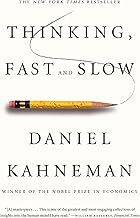
Thinking, Fast and Slow


Getting Things Done
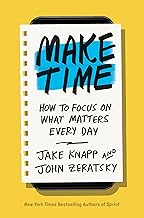
Make Time
Disclosure: This post may contain affiliate links. We only recommend products we believe in, and we may receive a commission at no cost to you! Thank you for your support!
Acknowledgment: Cover Image by moneycatzzz.com
Disclaimer: The information is provided for general information only – moneycatzzz.com makes no representations or warranties in relation to the information, including but not limited to any representation or warranty as to the fitness for any particular purpose of the information to the fullest extent permitted by law. While every effort has been made to ensure that the information provided in this article is accurate, reliable, and complete as of the time of writing, the information provided in this article should not be relied upon to make any financial, investment, real estate or legal decisions. Additionally, the information should not substitute advice from a trained professional who can take into account your personal facts and circumstances, and we accept no liability if you use the information to form decisions.