 Reading Time: 8 mins #
 This post may contain affiliate links.
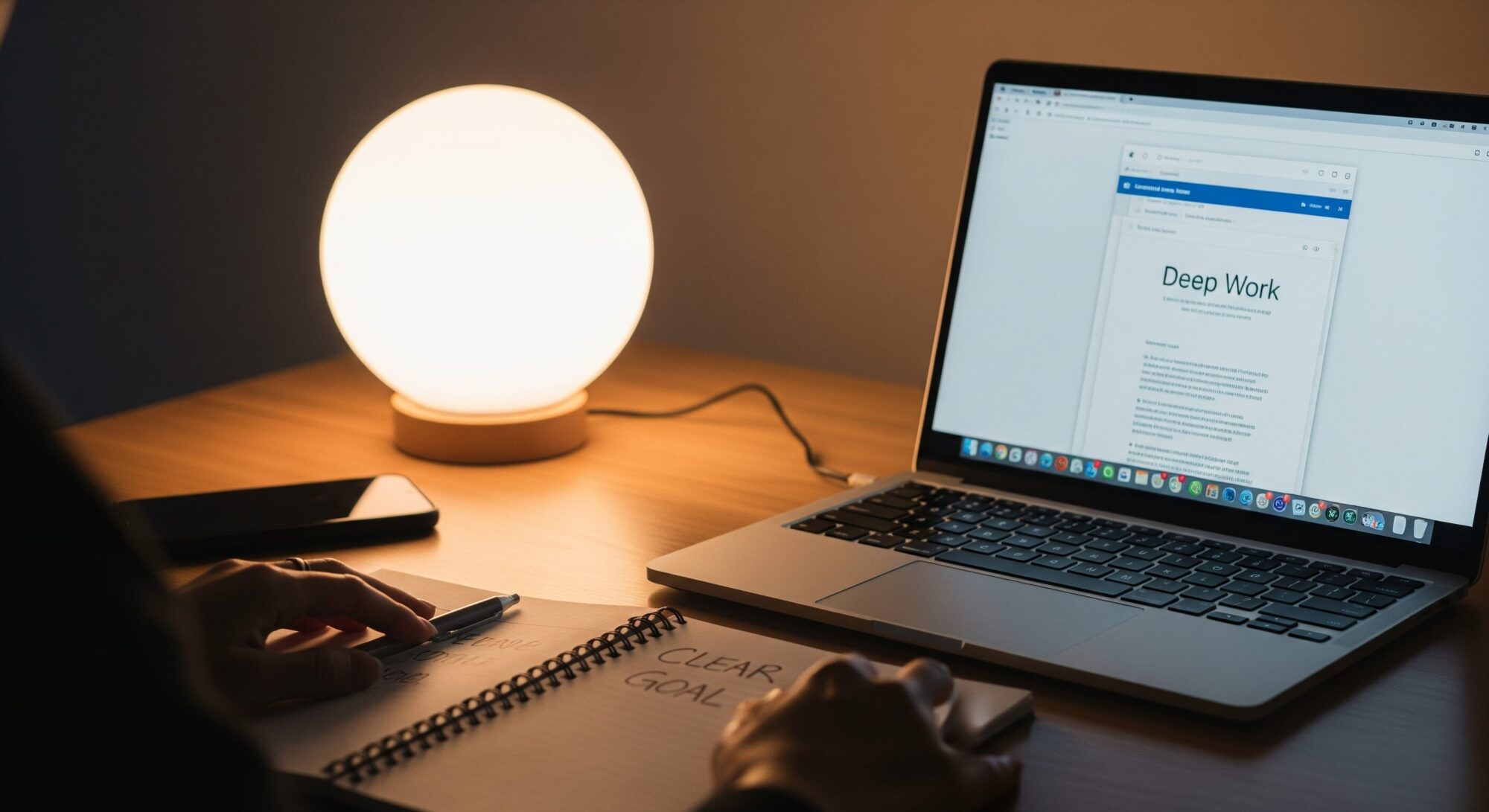
Most days aren’t lost to one big crisis: pings, tabs, and tiny detours dissolve them. A practical fix is to build a daily focus operating system you can run anywhere: a simple set of behaviors that neutralize digital distraction, reduce fragmentation, and make room for real deep work. In a noisy attention economy, systems protect your best thinking, not willpower.
Today, we will walk you step-by-step through building this system, from clarifying your outcomes and mastering time blocking to implementing foolproof notification hygiene and single-tasking, so you can finally reclaim your attention and get back to doing the work that actually matters.
What is a focus operating system?
A focus operating system is a repeatable routine that combines clear outcomes, time blocking, notification hygiene, single-tasking, and email batching to minimize digital distraction and maximize deep work without relying on motivation.
Why do you need a focused operating system?
Your environment is tuned for hooks, not clarity. Variable rewards train compulsive checking, and the mental spillover from unfinished tasks creates attention residue that lingers after you move on. Together, they fuel digital distraction and slow the deep work that compounds.
The following offers more in-depth study:
- Reward prediction error (the neuroscience behind “just one more check”): Science, Schultz et al.
- Attention residue (why it’s hard to refocus after switching contexts): Organizational Behavior and Human Decision Processes, Leroy (2009)
- On platforms competing for your attention: James Williams, Stand Out of Our Light (Cambridge University Press)
A focus operating system turns attention into a process. It limits information overload, tames the dopamine loop, and consistently creates space for deep work.
Build your focus operating system in 5 steps (How‑To)
Each step is small on purpose. Together, they replace digital distraction with deliberate attention.
1) Clarify outcomes (3 minutes)
- Write one Most Important Task (MIT) with a concrete output.
- Define “good enough” to prevent loops.
- Tie it to a value or goal so it’s harder to ignore.
Clarity narrows options, reduces attention residue before it starts, and primes your deep work block.
2) Time blocking (two sprints)
- Schedule two 50‑minute blocks of focused work with a 10‑minute break.
- One task, one tab, phone away from reach.
- Treat the block as a meeting with yourself.
Time blocking protects cognitive bandwidth and reduces the urge to “just check” (a digital distraction trap). Over a week, time blocking compounds into more and better deep work.
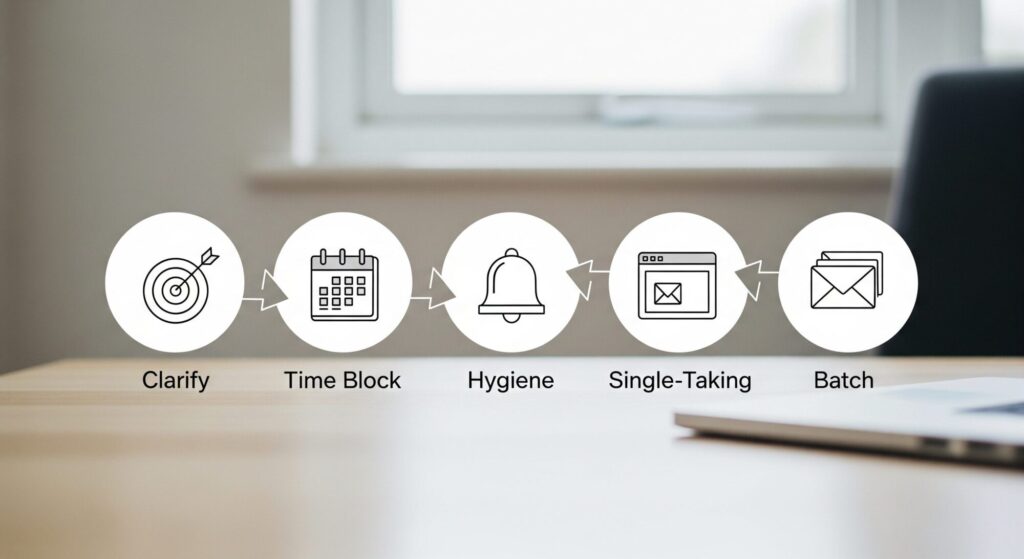
[“The Focus Operating System Map” – Image by Gemini 2.5 Pro]
3) Notification hygiene (default off)
- Turn off non‑human notifications; whitelist only direct messages that truly matter.
- Remove badges; use grayscale or Do Not Disturb during work.
- Set two check windows (e.g., 11:30 and 4:30) for mail and DMs.
Strong notification hygiene breaks variable‑reward checking. Fewer cues = fewer detours and deeper deep work. Revisit notification hygiene monthly.
4) Single-tasking (with a friction trick)
- Go full‑screen; keep one document or browser tab open.
- Park a “research later” note so you don’t roam mid‑block.
- If you must switch, write the reason first; this tiny pause often stops the jump.
Single-tasking converts attention into output. It’s the antidote to digital distraction and the fuel for deep work.
5) Email batching (calm the inbox)
- Process email twice daily in 20‑minute windows.
- Use filters; archive aggressively; prefer concise replies.
- Redirect chatty threads to a shared doc with decisions and owners.
Email batching stops the drip of reactive checking and keeps time blocking sacred. Pair email batching with your notification hygiene for best results.
You might also like:

The Attention Economy Trap: Reclaim Your Focus Without Quitting the Internet
Your Daily Run Sheet (Copy/Paste)
| Time | Activity | Instruction for Clarity |
| Launch (3 mins) | MIT + Success Criteria | Define one Most Important Task (MIT) and the “good enough” bar for completion. |
| Block 1 (50 mins) | Focused Single-tasking | One task, one tab, phone away. Maximize your deep work |
| Break (10 mins) | Reset | Move your body, hydrate, and keep your eyes off screens (no feeds). |
| Block 2 (50 mins) | Continue or Second MIT | Continue first MIT, or start second MIT only if the first is complete. |
| Comms Window (20 mins) | Email Batching + DMs | Process communication (email/DMs) only during this time. Respect notification hygiene. |
| Review (5 mins) | Log & Improve | Log one win and note one improvement for your focus operating system tomorrow. |
Weekly Maintenance: The 20-Minute Attention Audit
This audit is designed to be a brief, structured review that prevents information overload from eroding your Focus Operating System.
| Phase (Action) | Time Allocation | Key Task and Goal |
| Data | 5 minutes | Skim Screen-Time & Browser History for digital distraction patterns (where did attention go?). |
| Triggers | 5 minutes | Note Top 3 Triggers (e.g., boredom, anxiety). Identify the cause of the distraction, not just the symptom. |
| Friction | 5 minutes | Add One Barrier Per Trigger (app limits, site blockers, removing badges). Make the wrong choice harder. |
| Reallocate & Close | 5 minutes | Update Calendar: Put two new time blocking sessions on your calendar. Close Loops: List and schedule all unfinished items to clear attention residue. |
The Final Distinction: Hacks vs. Systems
Stop relying on short-term inspiration. You need durable architecture.
| Strategy | The Trap (Hacks) | The Win (Systems) |
| Foundation | Sporadic—fueled by novelty; collapses under stress. | Repeatable—fueled by process; compounds under pressure. |
| Outcome | Fade Fast in the Attention Economy, leaving only attention residue. | Reliable Deep Work—boring (in a good way) and built to last. |
Remember: Hacks seek a high, while systems seek a baseline. Choose the baseline.
Physical and Digital Architecture
Think of this as adding friction to distraction and flow to creation:
- Physical Space: Set up your body for success. Use a quiet desk, comfortable chair, and noise-canceling headphones to create a sensory bubble for focused work.
- Digital Space: Beat the defaults by making the decision to distract impossible. Utilize tools like Freedom or Cold Turkey to block “sticky” sites during your scheduled deep work blocks. Keep your phone’s home screen minimal (no social media icons visible) to eliminate visual cues that trigger checking.

[“The Quiet Brain” – Image by Nano Banana]
State Resets: Refreshing Your Focus
You can’t sustain intense focus indefinitely. These micro-breaks are essential physiological resets, proven to restore cognitive function:
- Micro-Breaks: Inject 3–5 minute nature micro-breaks, breath work, or a short walk to refresh your attention between blocks. Research shows that engaging with nature, even briefly, can significantly boost cognitive performance and concentration.
Leading with Focus: For Entrepreneurs and Teams
Focus isn’t just a personal skill; it’s a team operating system. When you lead or work in a group, digital distraction and fragmentation often masquerade as “urgency” or “collaboration.” Use these principles to build a culture of clarity and protection for collective deep work:
Communication Architecture
Shift the team’s default from constant interruption to intentional, batched output:
Protect Single-Tasking: Institute a “draft-then-send” rule for heated or complex messages. This preserves single-tasking in deep work blocks and prevents emotional volatility from leaking into team channels.
Decide, Don’t Update: Replace status meetings with asynchronous documents (async docs). Reserve live meeting time only for making necessary decisions or collaborative problem-solving, not for simply reading updates aloud. (For a deep dive, see MIT Sloan Management Review insights on meeting redesign.)
Team Hygiene Policy: Collectively establish a team notification hygiene policy. This includes setting shared focus hours where notifications are universally off and publishing clear reply windows, reducing the anxiety of immediate response.
Measuring Real Output
Change the metrics of success to track actual value created, rather than volume of activity:
Track Shipped Projects: Measure success by shipped outcomes (features live, proposals sent, drafts published), not communication volume (messages sent, hours logged on Slack). This rewards clarity and output, not just busyness.
When I moved Slack off my dock and committed to two-time blocking sprints, the same tasks took less time, improving the quality of deep work. The biggest surprise? Less stress, because my focus operating system made the small decisions for me.
Final Thoughts: Systems Make Focus a Choice, Not a Mood
Attention is too valuable to leave to chance. A simple focus operating system, grounded in time blocking, notification hygiene, single-tasking, and email batching — turns scattered days into repeatable flow. In a world wired for digital distraction, the quiet power move is to protect your deep work daily.
Books to Dig Deeper

Digital Minimalism
by Cal Newport

Stand Out of Our Light
Disclosure: This post may contain affiliate links. We only recommend products we believe in, and We may receive a commission at no cost to you! Thank you for your support!
Acknowledgement: Cover Image by moneycatzzz.com
Disclaimer: The information is provided for general information only – moneycatzzz.com makes no representations or warranties in relation to the information, including but not limited to any representation or warranty as to the fitness for any particular purpose of the information to the fullest extent permitted by law. While every effort has been made to ensure that the information provided in this article is accurate, reliable, and complete as of the time of writing, the information provided in this article should not be relied upon to make any financial, investment, real estate or legal decisions. Additionally, the information should not substitute advice from a trained professional who can take into account your personal facts and circumstances, and we accept no liability if you use the information to form decisions.